RFdiffusion3 for Protein Backbone generation 🧬
When the Baker lab released the first version of RFdiffusion, they opened up new avenues for protein design. The model was based on the previous structure prediction architectures, yet employing the diffusion framework typical of image generation models. It showed impressive results in generating protein backbones for motif scaffolding and binder design.
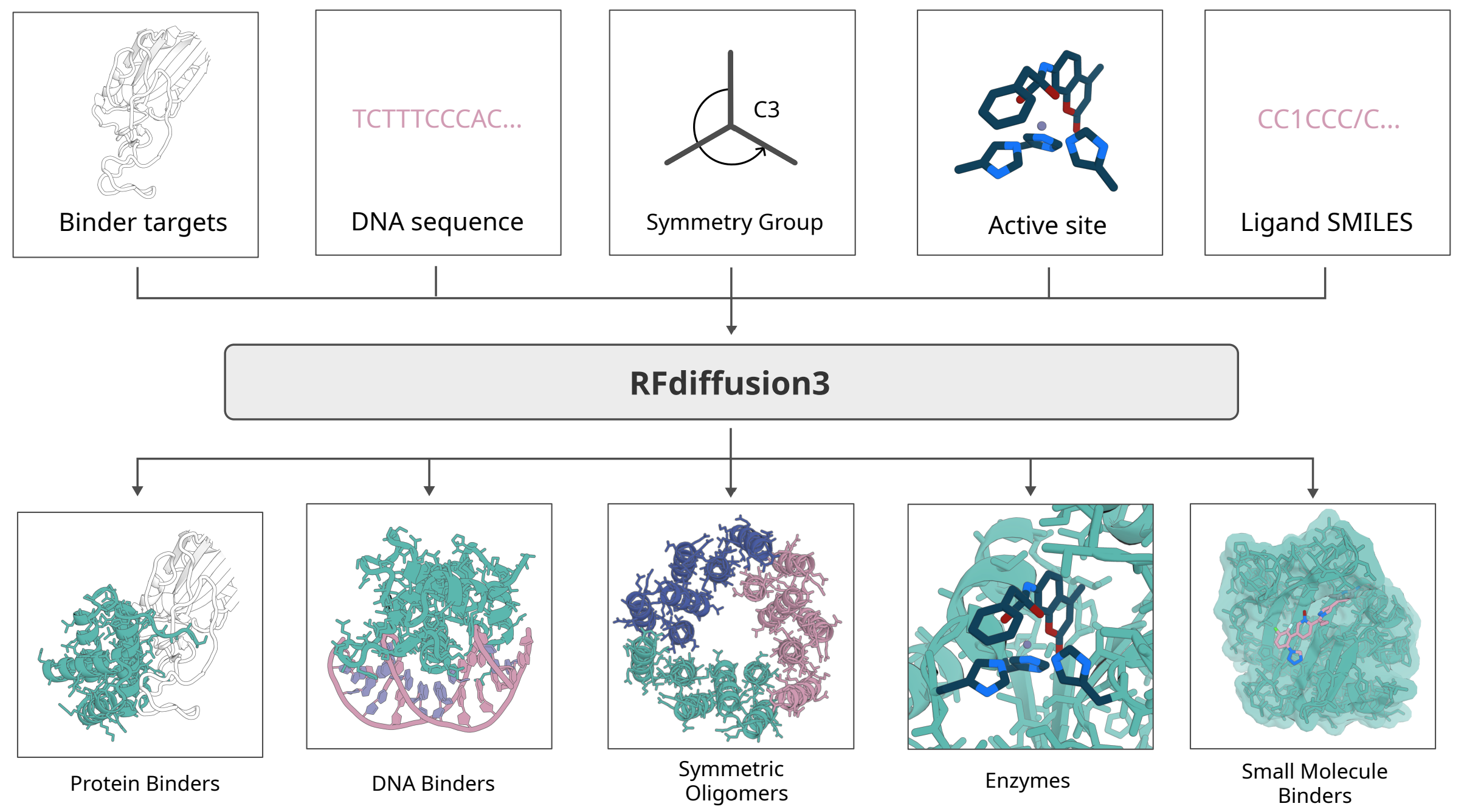
Now in its third version, RFD3 can create binders for an extended set of targets, from DNA/RNA to small molecules, and allows advanced conditiong. This space allows you to run backbone generation jobs using Hugging Face's hardware and download the results!
Image and Model Source: Butcher J, Krishna R, Mitra R, Brent RI, Li Y, Corley N, Kim PT, Funk J, Mathis S, Salike S, Muraishi A, Eisenach H, Thompson TR, Chen J, Politanska Y, Sehgal E, Coventry B, Zhang O, Qiang B, Didi K, Kazman M, DiMaio F, Baker D. De novo Design of All-atom Biomolecular Interactions with RFdiffusion3. bioRxiv [Preprint]. 2025 Nov 19:2025.09.18.676967. doi: 10.1101/2025.09.18.676967. PMID: 41000976; PMCID: PMC12458353.
How to Use this Space
Hugging Face spaces is a great tool to build quick machine learning demos and expose interfaces for popular models. This space runs the RFD3 model with a convenient interface for input configurations and inference parameters.
The green Running on ZERO at the top of the page indicates that this space runs on Hugging Face's ZeroGPU technology. This means that all jobs are run on NVIDIA H200 GPUs and that the number of GPUs allocated to this space scale automatically based on demand.
There are three steps to setting up a job.
- First, create an input specification for your generation job. This is a yaml or json file with details on targeted motifs, scaffolds and generation parameters that gets passed to RFD3's CLI as
inputs. Check out RFD3's documentation and tutorials to learn how to compose this file! - Second, upload a PDB file containing your target/scaffold structure to condition the generation or leave empty for unconditional generation.
- Third, Select the number of batches and designs per batch for your job. These are passed as CLI arguments to RFD3. Advanced CLI arguments can be added in the "Advanced Options" section. While most of these arguments can be kept at their default value, some related to the inference sampler can provide improvements for protein-protein interaction (PPI) workflows. Here is a list of other CLI arguments.
Individual jobs On ZeroGPU spaces are limited to 240 seconds for PRO users or members of an organization. Hence, make sure that you are logged in before launching a job to avoid errors and keep the number of designs per run manageable. While the time taken significantly depends on the configuration run, here are some numbers to guide you:
- RFD3's PPI tutorial, designing a 190-270 aa binder for a 149 aa motif on the human insulin receptor generated a batch of 8 designs every 60 seconds, a batch of 16 every 95 seconds.
- RFD3's complex nucleic acid tutorial, scaffolding a DNA-binding motif of 8 residues into a 150 aa binder, generated a batch of 8 designs every 52 seconds.
- RDF3's enzyme design tutorial, scaffolding the active site of drosophila's alcohol dehydrogenase into a 180-200 aa enzyme, generated a batch of 8 designs every 60 seconds.
Example files for these three tutorials can be found in the examples directory of this repo. They are
all taken from RFD3's amazing Github repository. This space pairs well with the companion LigandMPNN space for inverse folding!